

Tekla Structural Designer: Structural Modeling Design

Overview

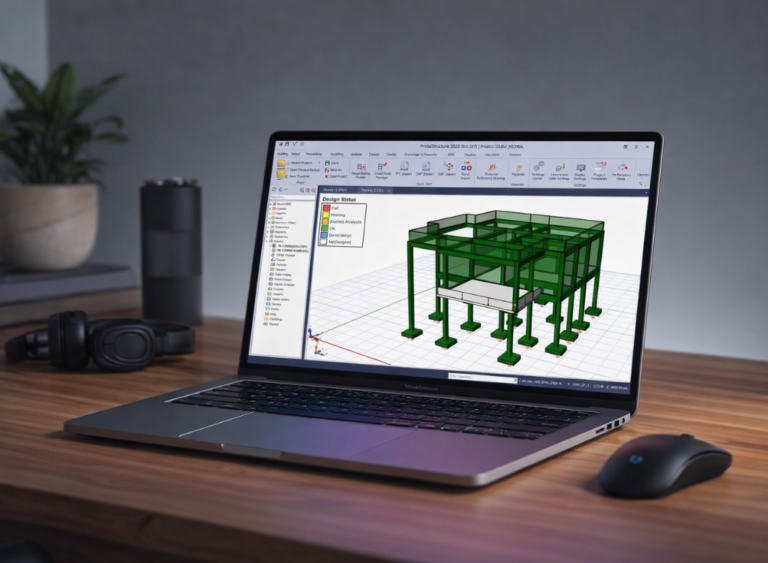
Learn to create, analyse, and design building structures using Tekla Structural Designer through a practical, project-based approach. This course covers structural modelling, load application, analysis, design checks, and professional workflows for steel and concrete structures.

Designed for civil engineers, structural engineers, and students, this course helps you develop the confidence and skills needed to apply Tekla Structural Designer in real-world engineering projects.

Overview

Learn to create, analyse, and design building structures using Tekla Structural Designer through a practical, project-based approach. This course covers structural modelling, load application, analysis, design checks, and professional workflows for steel and concrete structures.

Designed for civil engineers, structural engineers, and students, this course helps you develop the confidence and skills needed to apply Tekla Structural Designer in real-world engineering projects.

What You’ll Learn?

Structural modelling of real buildings from scratch
Load application, analysis and combinations
Concrete and each member design
Interpreting results professionally and confidently
Generating structured design reports

Requirements

Basic laptop knowledgeA laptop (non-negotiable)A stable internet connectionWillingness to practice

Syllabus Overview

34
Lessons
0
Quizzes
1
Tasks
0
Resources
Accessing the Rexi Academy Learning Platform
00:9:21
Downloading tekla structural designer and AutoCAD software
Installing tekla structural designer step by step
12:29
AutoCAD Installation Guide
17:56
Understanding the AutoCAD Interface
24:04
Core Drawing Tools for Structural Plans
01:05:48
Week 2 Assignment — AutoCAD Structural Plan
Introduction to User Interface
Starting a New Tekla Structural Designer Project
Defining Structural Grids and Layout Control
Establishing Levels and Storey Configuration
Creating and Editing Structural Columns
Defining Beam Members and Beam Properties
Creating Floor Slabs and Adjusting Slab Parameters
Validating and Highlighting Members
Clearing Support Errors/Warnings
Clearing Member Intersection and Collision Errors/Warnings
Clearing Slab and Slab Openings Errors/Warnings
Clearing Far Grid or Construction Line Errors/Warnings
Developing a Structural Framing Plan for a Building
Importing Architectural Drawings into Tekla
Building the Full Structural Model
Applying Loads and Final Model Adjustments
Executing Structural Analysis and Design Checks
Reviewing Beam Design Results and Reinforcement
Column Design Verification and Capacity Checks
Slab Design Evaluation
Foundation Design Parameters and Settings
Pad Foundation Modelling and Structural Design
Pad Foundation Optimization and Design Checks
Project Documentation and Materials Quantites
Structural Report Configuration
Structural Design Calculations Reports
Structural Drawing Output Configuration
Reinforcement Detail Drawings for Structural Elements

Material Includes

Step-by-step video tutorials broken down for easy understanding.Real-life project examples.Design files and practice models to work with hands-on.Assignments to test and reinforce your understanding.Access to a support community where your questions get answered.

Audience

Civil and Structural Engineering studentsGraduate engineersArchitectsBuilderAny serious learner

Want to receive push notifications for all major on-site activities?

✕